How it works
Everything in one place, and someone to talk to
It works in your browser and on your phone. Nothing to install.
One
You: weight, steps and workouts
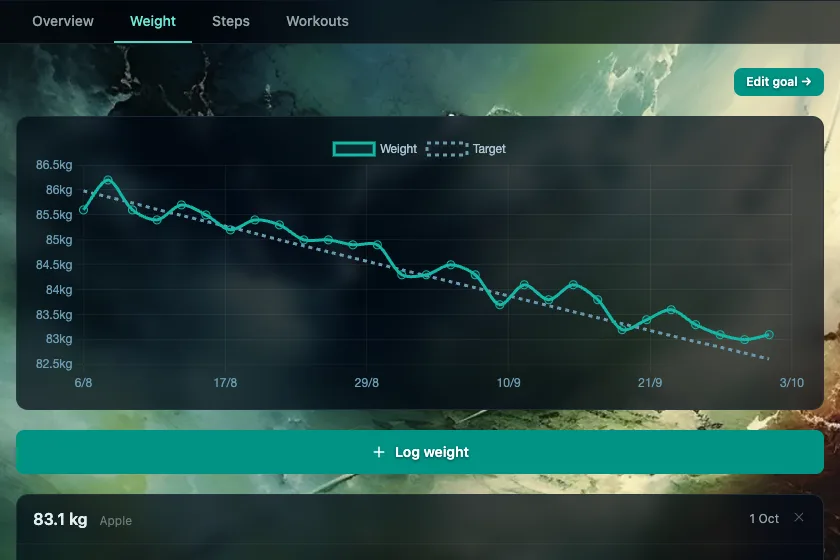
Add a weigh-in by hand or let your scales send it. Set a goal and Keel draws a steady curve at a sensible pace, about half a percent to one percent of your weight a week. Steps and workouts sit alongside, as information, never as calories you have to earn.
Two
Your devices fill it in
Connect Withings scales, or Google Health for a Fitbit or Pixel Watch, in a couple of taps, and new readings arrive on their own. Apple Health can send steps and workouts through an iPhone shortcut; that takes a little more setting up.

Three
Your health documents, together
Upload blood tests, scan reports and other health PDFs. Each file is stored encrypted, with its own key. Keel reads the text from each one so that the companion can find the right document when you ask about it.

Four
A companion that helps you think
Ask it anything: what a blood marker means, what to cook tonight from what is in the cupboard, why the last fortnight has felt harder. It answers from your own numbers, documents and journal, says which document or day it drew on, and can look things up on the web. It listens first and never lectures.

How Keel talks to you
No scores, no scolding
- 01A reading above your curve is drawn in the same colour as any other. Nothing turns red.
- 02No “off track”, “missed” or “failed”. Trends are described plainly.
- 03Goals are guides. If a date passes, the curve simply carries on.
- 04Exercise is never turned into food you have “earned”.
Your health data is yours
Only you can see it. Health documents are stored encrypted, each with its own key. Keel is a companion for everyday wellbeing, not a medical service, and it asks for your explicit consent before handling health data. The detail is in the privacy policy.
Ready?
Start with one weigh-in
Sign in, add a reading or connect your scales, and say hello to the companion.
See how to start